
Monitoring Station Hardware Requirements
Control Device, Cameras and Mount
Section titled “Control Device, Cameras and Mount”Click on Monitoring Station Hardware Setup for more information.
You may also want to take a look at the following: Software Requirements, Software Setup, Presets, Archivist, Troubleshooting/FAQ
Control Device:
Section titled “Control Device:”Tablets and smartphones: Recommendation:
-
iPad mini (7th Gen with A17 Pro chip or later) or devices with similar or better specifications.
-
Android Smartphones:Google Pixel 9 / 9 Pro or later, Samsung Galaxy S24 and later or devices with similar or better specifications.
PC/Desktop computers:
-
Mac mini (with M4 chip or later) or devices with similar or better specifications.
-
Windows PC (tbc)
PLEASE CONFIRM DEVICE RECOMMENDATIONS WITH AMA PROJECT MANAGER IN CHARGE!
Cameras:
Section titled “Cameras:”- Obsbot Meet SE (manual) ->Please deactivate Obsbot AI controls to benefit from Monitoring Station AI (click for instructions)
- Obsbot Tiny 2 (manual) -> Please deactivate Obsbot AI controls to benefit from Monitoring Station AI (click for instructions)
- Insta360 Link (manual) -> Please deactivate Insta360 AI controls to benefit from Monitoring Station AI
- Endoscopes (max. resolution 1920x1080p)
- 360° camera: j5create JVCU360
- You may also use onboard cameras of smartphone or tablet in case there are no external cameras available or needed.
Mount:
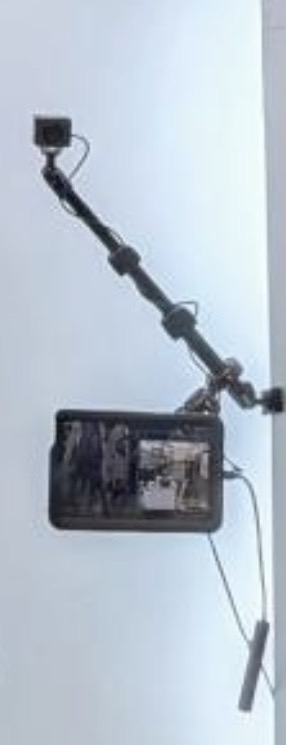
Section titled “Mount:”- PeakPro**
 **
**
-
PeakPro mounting arms connect Monitoring Stations with poles/bars/pillars on-site.
-
RAM Mounts offer theft protection by locking the iPad minis or other devices.
-
Vibration dampers between poles and cameras help stabilize the video.
PLEASE REACH OUT TO AMA PROJECT MANAGEMENT IN CHARGE IN CASE OF ANY ISSUES!