
Monitoring Station Hardware Setup
Setup of hardware parts and positioning
Section titled “Setup of hardware parts and positioning”Click on Monitoring Station Hardware Requirements for more information.
You may also want to take a look at the following:Software Requirements, Software Setup, Presets, Archivist, Troubleshooting/FAQ
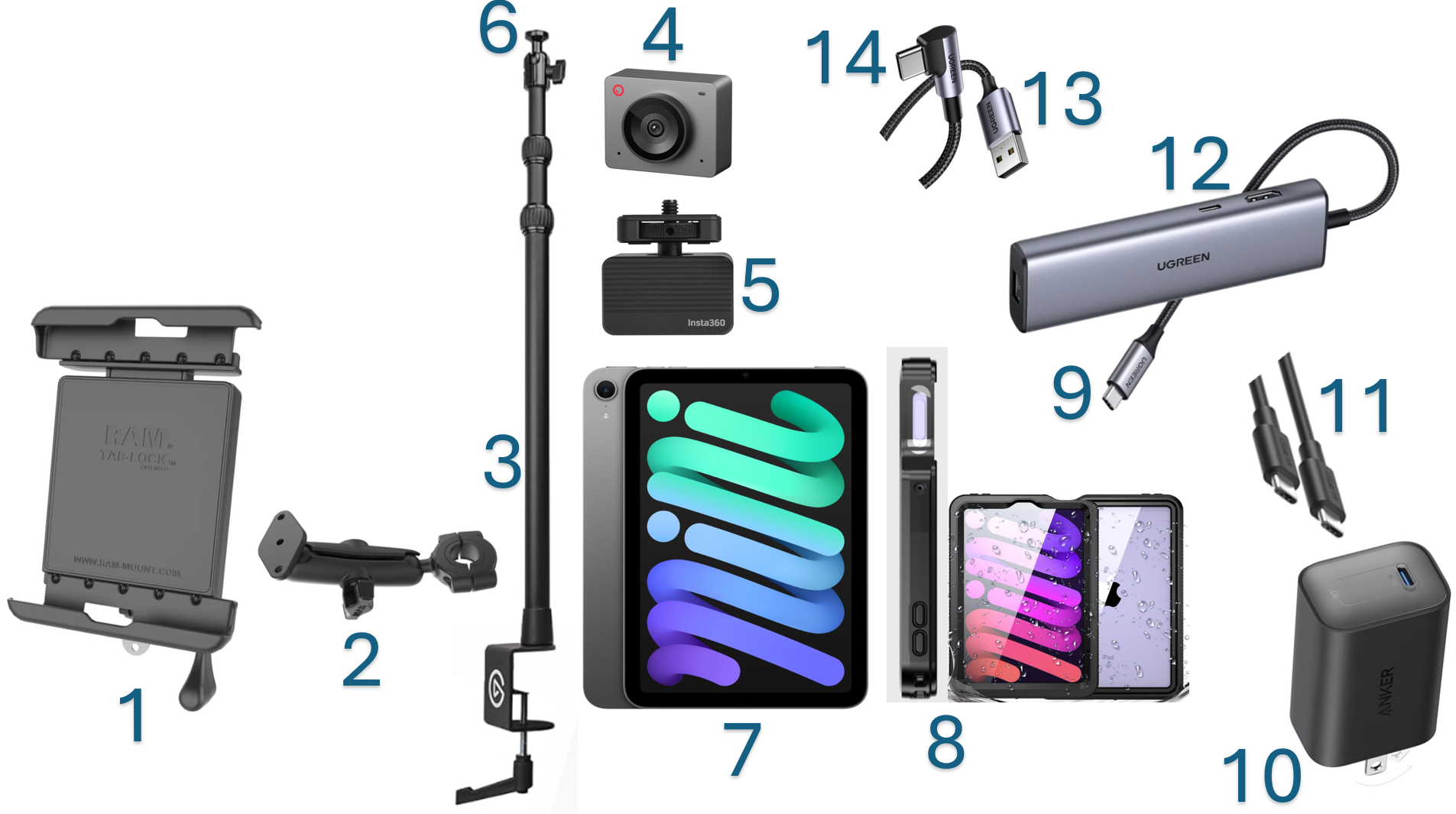
**Please connect the hardware in the following order:**1. Screw the RamMount Lock (1) to the connecting arm (2) and the arm (2) to the pole (3). 2. Screw the camera (4) to the vibration damper (5) and the damper (5) to the top of the pole (6). 3. Place the iPad mini (7) into the dust-resistant & waterproof case (8) and lock it into the RamMount (1). 4. Plug the USB-hub cable (9) into the iPad mini (7). 5. Plug the charger (10) into the power outlet, the long USB-C to USB-C cable (11) into the charger (10) and the USB-hub (12). 6. Connect the USB-A cable (13) with the USB-hub (12) and plug the USB-C connector (14) into the camera (4).
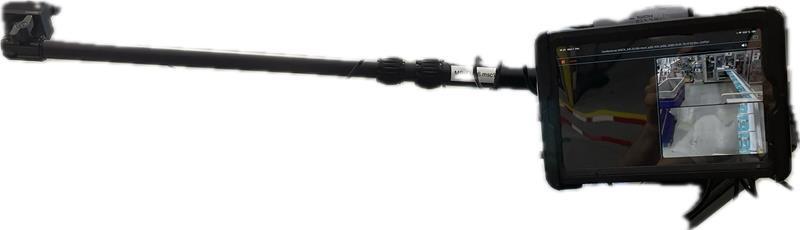
Images of example positionings:
- Option of USB-C camera connected to iPad mini and PeakPro Mount
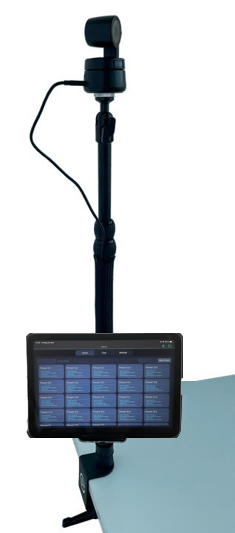
- Option of external camera connected to iPad mini and RAMMount
PLEASE REACH OUT TO AMA PROJECT MANAGEMENT IN CHARGE IN CASE OF ANY QUESTIONS OR ISSUES!