
Monitoring Station Hardware Requirements
Ce contenu n’est pas encore disponible dans votre langue.
Control Device, Cameras and Mount
Section titled “Control Device, Cameras and Mount”Click on Monitoring Station Hardware Setup for more information.
You may also want to take a look at the following: Software Requirements, Software Setup, Presets, Archivist, Troubleshooting/FAQ
Control Device:
Section titled “Control Device:”Tablets and smartphones: Recommendation:
-
iPad mini (7th Gen with A17 Pro chip or later) or devices with similar or better specifications.
-
Android Smartphones:Google Pixel 9 / 9 Pro or later, Samsung Galaxy S24 and later or devices with similar or better specifications.
PC/Desktop computers:
-
Mac mini (with M4 chip or later) or devices with similar or better specifications.
-
Windows PC (tbc)
PLEASE CONFIRM DEVICE RECOMMENDATIONS WITH AMA PROJECT MANAGER IN CHARGE!
Cameras:
Section titled “Cameras:”- Obsbot Meet SE (manual) ->Please deactivate Obsbot AI controls to benefit from Monitoring Station AI (click for instructions)
- Obsbot Tiny 2 (manual) -> Please deactivate Obsbot AI controls to benefit from Monitoring Station AI (click for instructions)
- Insta360 Link (manual) -> Please deactivate Insta360 AI controls to benefit from Monitoring Station AI
- Endoscopes (max. resolution 1920x1080p)
- 360° camera: j5create JVCU360
- You may also use onboard cameras of smartphone or tablet in case there are no external cameras available or needed.
Mount:
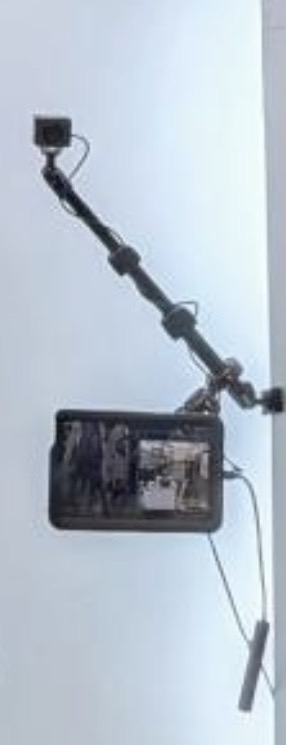
Section titled “Mount:”- PeakPro**
 **
**
-
PeakPro mounting arms connect Monitoring Stations with poles/bars/pillars on-site.
-
RAM Mounts offer theft protection by locking the iPad minis or other devices.
-
Vibration dampers between poles and cameras help stabilize the video.
PLEASE REACH OUT TO AMA PROJECT MANAGEMENT IN CHARGE IN CASE OF ANY ISSUES!