
Monitoring Station Presets
Ce contenu n’est pas encore disponible dans votre langue.
Overview and description of Presets
Section titled “Overview and description of Presets”You may also want to take a look at the following:
Hardware Requirements, Hardware Setup, Software Requirements, Software Setup, Archivist, Troubleshooting/FAQ
Please choose your recording preset to meet your use case needs.
PLEASE REACH OUT TO AMA PROJECT MANAGEMENT IN CHARGE IN CASE OF ANY QUESTIONS OR ISSUES!
Presets: Description of Presets
Presets are highly customizable and can be created for whatever you want to record.
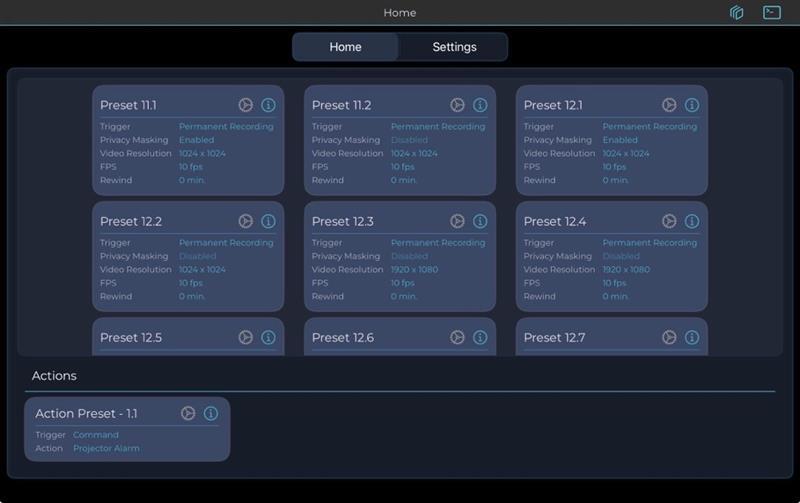
Recommendations for current use cases:
Section titled “Recommendations for current use cases:”Please do not use other presets as they are still in development.
Preset 18.1 1024x1024 (square image) 5 fps permanent recording
Preset 18.2 1920x1080 (16:9) 5 fps permanent recording
Preset 18.3 1024x1024 (square image) 10 fps permanent recording
Preset 18.5 1920x1080 (16:9) 10 fps permanent recording
Preset 16.4 Human Detection (also for Action Station)
Preset 13.6: 1024x1024 (square image) 20 fps Preset 13.7: 1920x1080 (16:9) 20 fps Preset 13.8: 1024x1024 (square image) 30 fps Preset 13.9: 1920x1080 (16:9) 30 fps
Preset 12.2: 1024x1024 (square image) 10 fps (for Action Station: yellow vest detection) (2 fps when inactive)
After choosing a preset please make sure wait until the video stream is displayed and then to tap on “Start sending”.
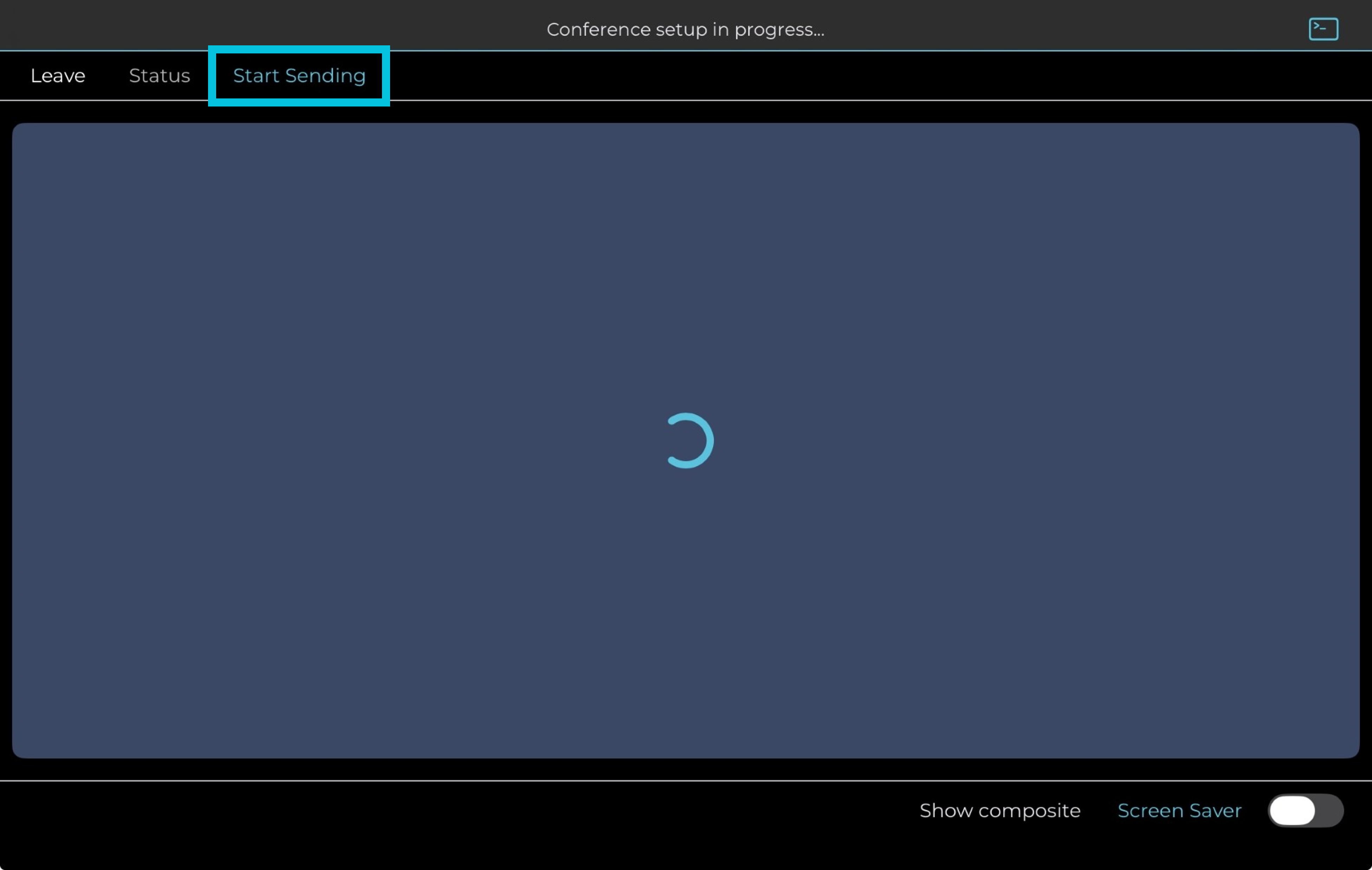
Settings:
- You may also use the rear camera of the iPad mini in case there are no external cameras available. To do so tap on the grey gear wheel of the preset you want to use and deactivate “External Cameras Only”
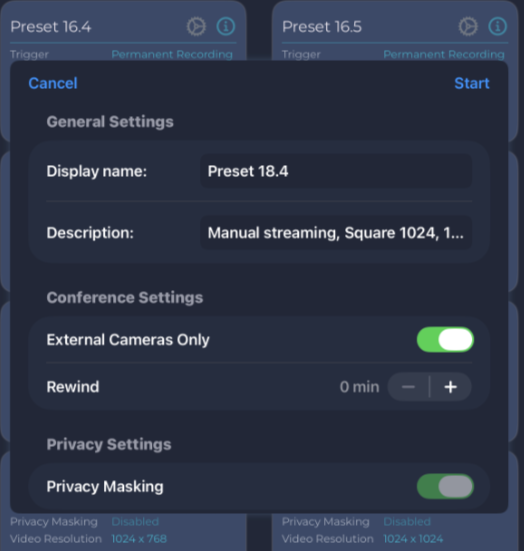
-
Rename cameras e.g. based on the area of recording to easily find them in the Archivist
-
Change the color of the text on top of the video streams to white or another color depending on the background to make it best readable
-
Adjust camera angles
-
Privacy masking: black out parts of the video feed
-
Screen saver: hide active camera streams
**Server Processing can be performed on the video streams:**Detection, Blurring, Reports and more can be processed on demand.
PLEASE REACH OUT TO AMA PROJECT MANAGEMENT IN CHARGE IN CASE OF ANY QUESTIONS OR ISSUES!