
Monitoring Station Software Requirements
Ce contenu n’est pas encore disponible dans votre langue.
Testflight & Monitoring Station
Section titled “Testflight & Monitoring Station”Click on Monitoring Station Software Setupfor more information.
You may also want to take a look at the following:
Hardware Requirements, Hardware Setup,Presets, Archivist, Troubleshooting/FAQ
General Information:
Section titled “General Information:”Machine data is often not enough; traditional process monitoring is passive and takes too much effort. Manual workflows often lack data, making error analysis and optimization nearly impossible. AMA XpertEye Monitoring Station Apps are a mobile AI-powered monitoring hub that transforms standard devices such as smartphones, tablets or PCs into intelligent camera sensors through customized video triggers. Capture data where it was previously “hard to reach“ with highest flexibility at reasonable cost!
1. 🛠️ Flexible SetupLightweight and scalable — easy to install, anywhere
2. 🔗 MultisourceConnects USB/IP-cameras, sensors & smart devices
3. ⚡ Event-based customizable triggersCapture meaningful data — not continuous recordings – live & post call
4. 🤖 Integrated & Cloud AIComputer vision detects events, starts XpertEye sessions and creates reports
5. ✅ Efficiency & ComplianceEnsures privacy, security & operational impact
Firmware, Apps and Webpage
Section titled “Firmware, Apps and Webpage”Available for:
iOS, macOS, Android and Windows
Always download the latest version. Please follow individual plattform instructions.
iOS Version:
Section titled “iOS Version:”Required for iOS Development versions:
Testflight: Available in the App Store
Always download and install the latest version.
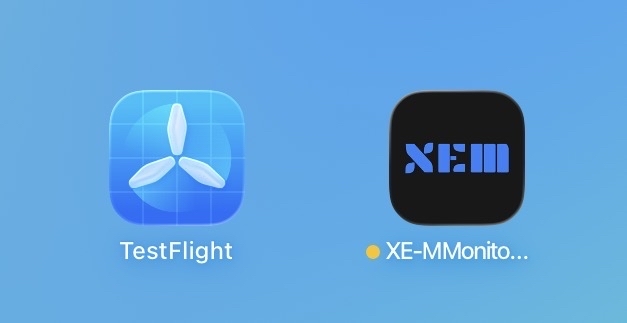
Monitoring Station App:
Section titled “Monitoring Station App:”Available in TestFlight or directly through AMA.
Always download and install the latest version/build.
macOS Version:
Section titled “macOS Version:”Available in TestFlight or directly through AMA.
Always download and install the latest version/build.
Android Version:
Section titled “Android Version:”Available directly through AMA.
Always download and install the latest version/build.
PC/Windows Version:
Section titled “PC/Windows Version:”Available directly through AMA.
Always download and install the latest version/build.
PLEASE REACH OUT TO AMA PROJECT MANAGEMENT IN CHARGE IN CASE OF ANY QUESTIONS OR ISSUES!