
Share location
Ce contenu n’est pas encore disponible dans votre langue.
XpertEye’s location-sharing feature lets you share or request GPS coordinates during a call.
Section titled “XpertEye’s location-sharing feature lets you share or request GPS coordinates during a call.”XpertEye’s location-sharing feature allows you to share or request the GPS coordinates of your contacts during a call, offering real-time visibility on a map. This feature is optional and must be activated by contacting your dedicated project manager.
How to use location sharing:
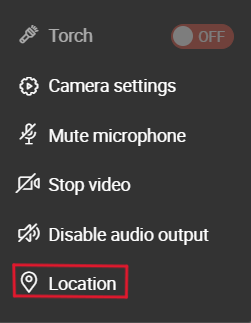
- During a call, select Location to open the Location sidebar.
- Choose how you’d like to share the location:
- Share location to display your GPS coordinates and location on a map.
- Request location to view your contact’s GPS coordinates and location (your contact must accept or decline the request).
Once a location is shared, you can:
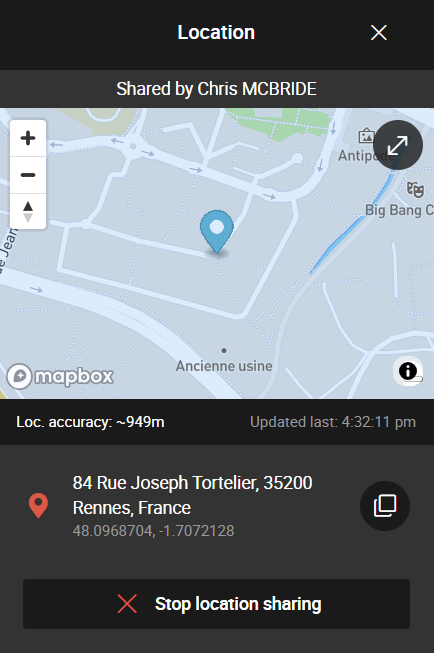
- Copy the GPS coordinates by clicking the copy icon.
- View the map in full-screen mode by clicking the fullscreen icon.
- Close the Location sidebar by clicking the close icon.
- End location sharing anytime by selecting Stop location sharing.
Important notes:
- Guest participants can only accept location-sharing requests; they cannot initiate or request them.
- Only one participant can share their location at a time.
- No location data is recorded, and sharing will automatically stop when the call ends.